
Family Resource Hub Everything you need to succeed at Wilson Hill
Your place to be in the know about all things Wilson Hill! Get information to ensure you're ready for the first day of school, see upcoming events, and access resources to help you enjoy a fruitful school year!

Wilson Hill Academy Spirit Store
The Wilson Hill Academy spirit store is open year-round. Grab your Wilson Hill t-shirts, hoodies, caps, bags, totes and more!
Download the Complete Academic Calendar
Download your copy of the complete Academic Calendar to be prepared for holidays and exam weeks. Start planning your family vacation now to join your Wilson Hill friends at LINK in May!
Review Student Schedules
Student schedules for the 2026–27 school year will be available in the registration system (LRS) that you used to register your student for classes. If you need to add or drop a course, please do that in LRS as soon as you are able. If you have any questions, email our Registrar, Maria Gerfers.
Mark Your Calendar!
Click here to download the Academic Calendar.
Save these dates, and periodically check back in as we’ll be adding more can’t-miss events as the school year continues.
Don’t forget to adjust times to your region as all times shown are Eastern Time.

Upcoming Events
March
- End of 3rd Quarter | Mar 6
- Spring Break | Mar 16-20
- Greek New Testament Night | Thu, Mar 26, 8 p.m. ET
- Link Registration Closes | Tue, Mar 31
April
- Good Friday | Apr 3
- Latin Poetry Recital | Thu, Apr 9, 8 p.m. ET
- Senior Thesis Presentations | Apr 6-May 8
- Shire Shakespeare Hour | Thu, Apr 30, at 7 p.m. ET
May
- Senior Thesis Presentations | Apr 6-May 8
- Grammar Palooza: Renaissance Festival | Fri, May 1, 2 p.m. ET
- Exam Week | May 18-22
- End of 4th Quarter, End of 2nd Semester | May 22
- LINK (Commencement: Friday, May 29) | May 27-30
Summer
- More Than A Teacher SAT Prep class, Session 1 | M/W, 11 a.m.–1 p.m. ET | June 29–July 22
- More Than A Teacher SAT Prep class, Session 2 | T/Th, 11 a.m.–1 p.m. ET | July 21–August 13
Connect with Other Wilson Hill Families
Use our Regional Parent Ambassador Directory to find and connect with other Wilson Hill families near you!
How to Sort the WHA Directory by ZIP Code
- To access the WHA Directory, go to FACTS Family Portal.
- Our district code is WH-TX. Enter your Username and Password and log in.
- Click “Directory” on the left-hand side. The default setting lists the students in alphabetical order by last name. There is also a tab for parents.
- SORT (not search) by clicking on the desired category, i.e. “Student,” “Parent,” or “Postal Code.”
- To use the Postal Code Sort feature, click on “Postal Code"; then click through the pages until you see the postal code region you are looking for. All other families with nearby postal codes will be listed.
- Search options include Student Name, Parent Name and Grade.
- Clicking on a name brings up all associated family members and their contact information.
All you need to know about 2026-27 Registration
Build Your Schedule
Watch a quick walk-through of the registration process to get started.
Trouble Checking Out?
Please note: For best results, we recommend accessing the registration system using Google Chrome.
1. Confirm that you are attempting to check out after noon ET on your registration date.
2. Log out of the registration system and log back in.
3. Log out of the registration system again, clear your browser cache and cookies, close your browser completely and re-open it; then log back in again.
4. If you are still unable to check out after completing steps 1-3, contact the Registrar for support.
Adding and Dropping Courses
Learn how to change sections and add or drop courses in the Registration System.
Registration System Reminders
For returning families, a quick refresher on how to log in, how to recover login information, etc.
Viewing Student Schedules in the Registration System (LRS)
Watch this brief how-to video for help navigating our Registration System (LRS) and viewing Student Schedules.
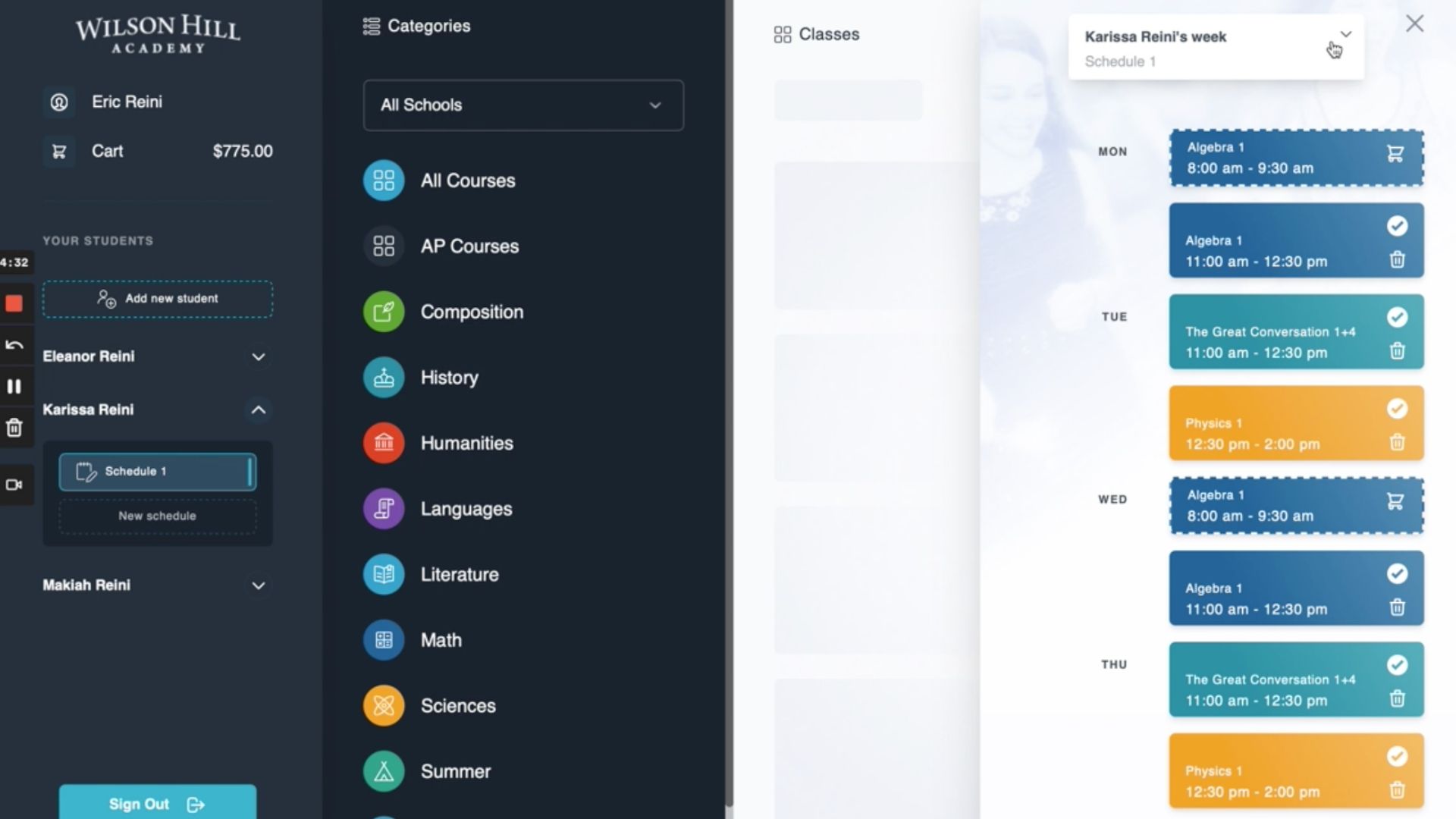
Have a question? Reach out to our team via email and we will be in touch shortly.
Get Comfortable with Canvas
Please Note: New WHA students will receive access to Canvas in August, prior to the start of classes.
Understanding the Canvas Learning Management System
Parents will receive a login ID and password for each of their students to use for Canvas. Once you receive it, watch this short video to learn how to login and set up your dashboard.
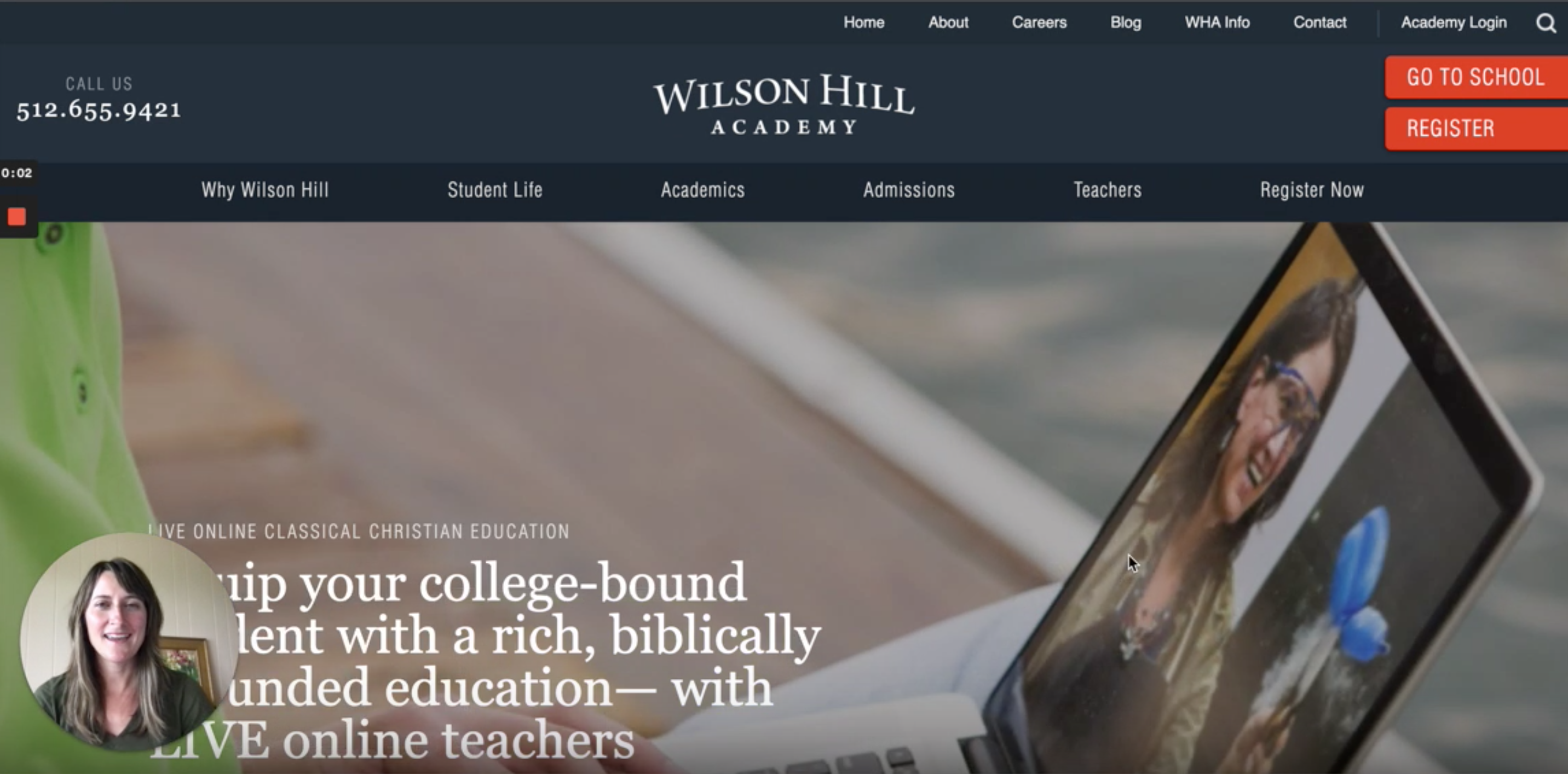
Families should note that Canvas requires an operating system that can run the latest compatible web browsers and a minimum Internet speed of 512 kbps.
Student Login: How to Resolve 403 Error
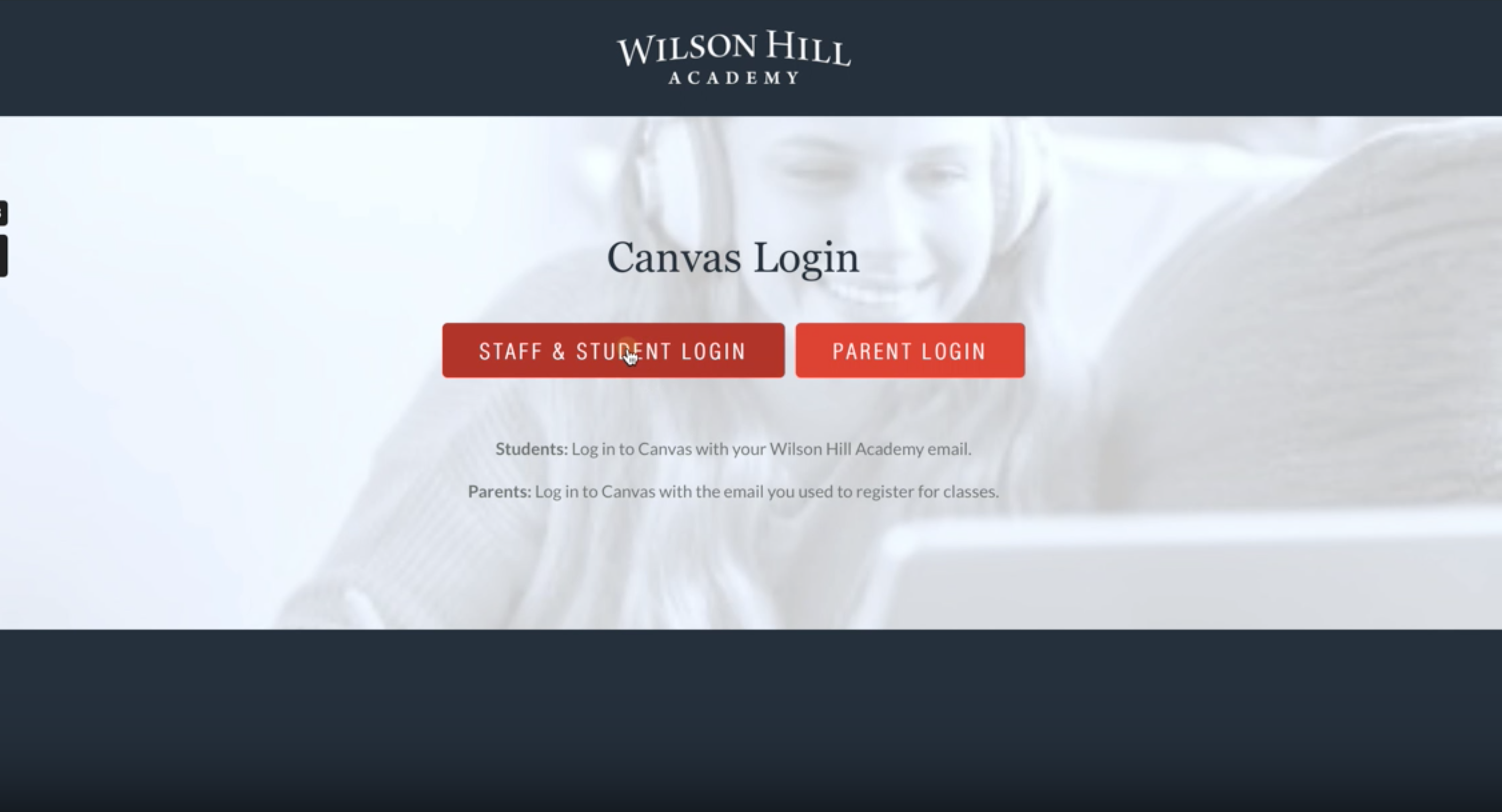
Getting an error when you try to log in with your WHA student credentials? Try the steps in this video!
Parent Canvas Accounts: Getting Started
Learn how to accept your Parent Information course invitation and get signed in to Canvas for the first time with this video.
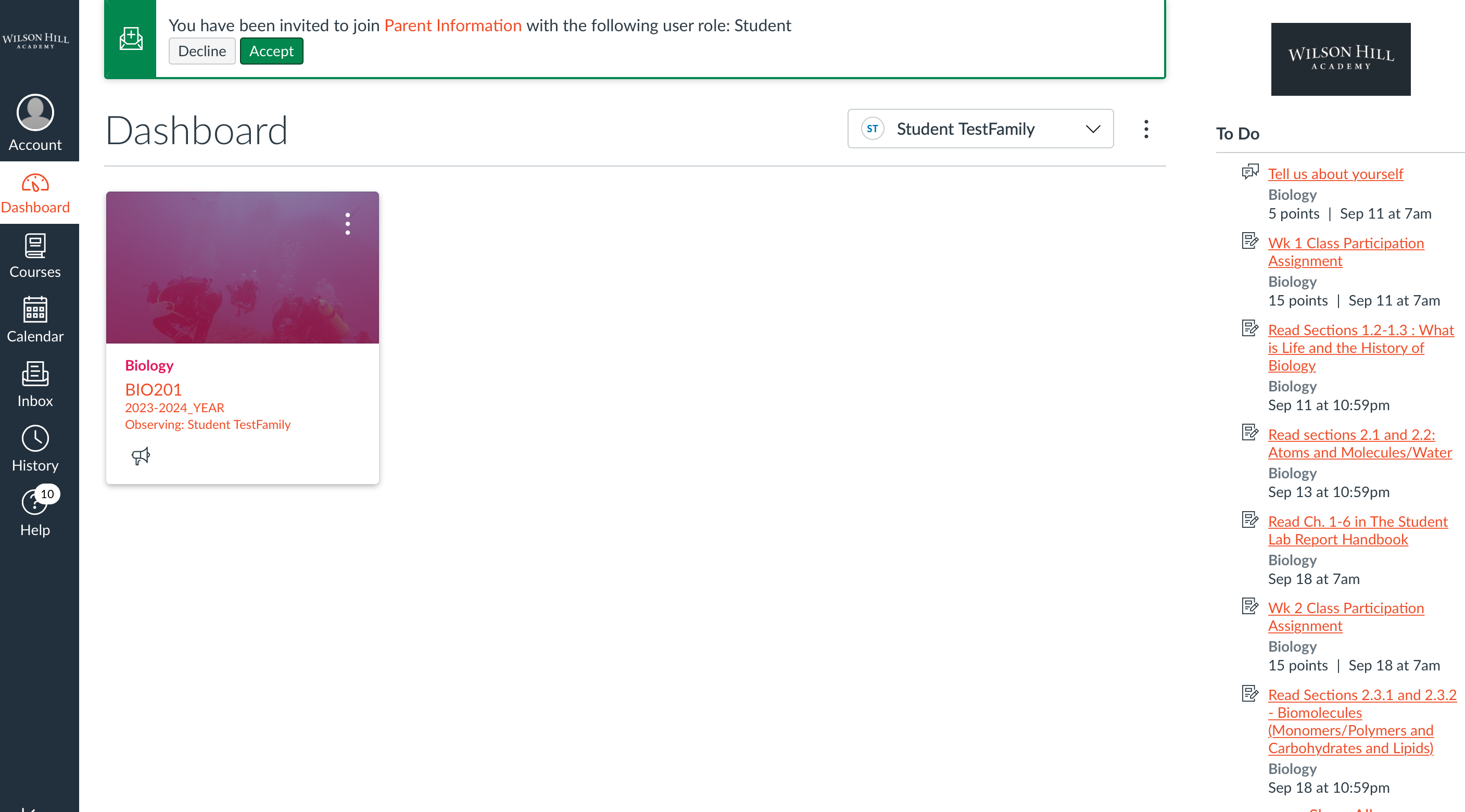
Are you or your co-parent missing your Parent Information course invitation? If you prefer not to share one combined account, just contact support@wilsonhillacademy.com with a unique email to use for your own individual Parent-Observer account in Canvas.
More Helpful Canvas Videos
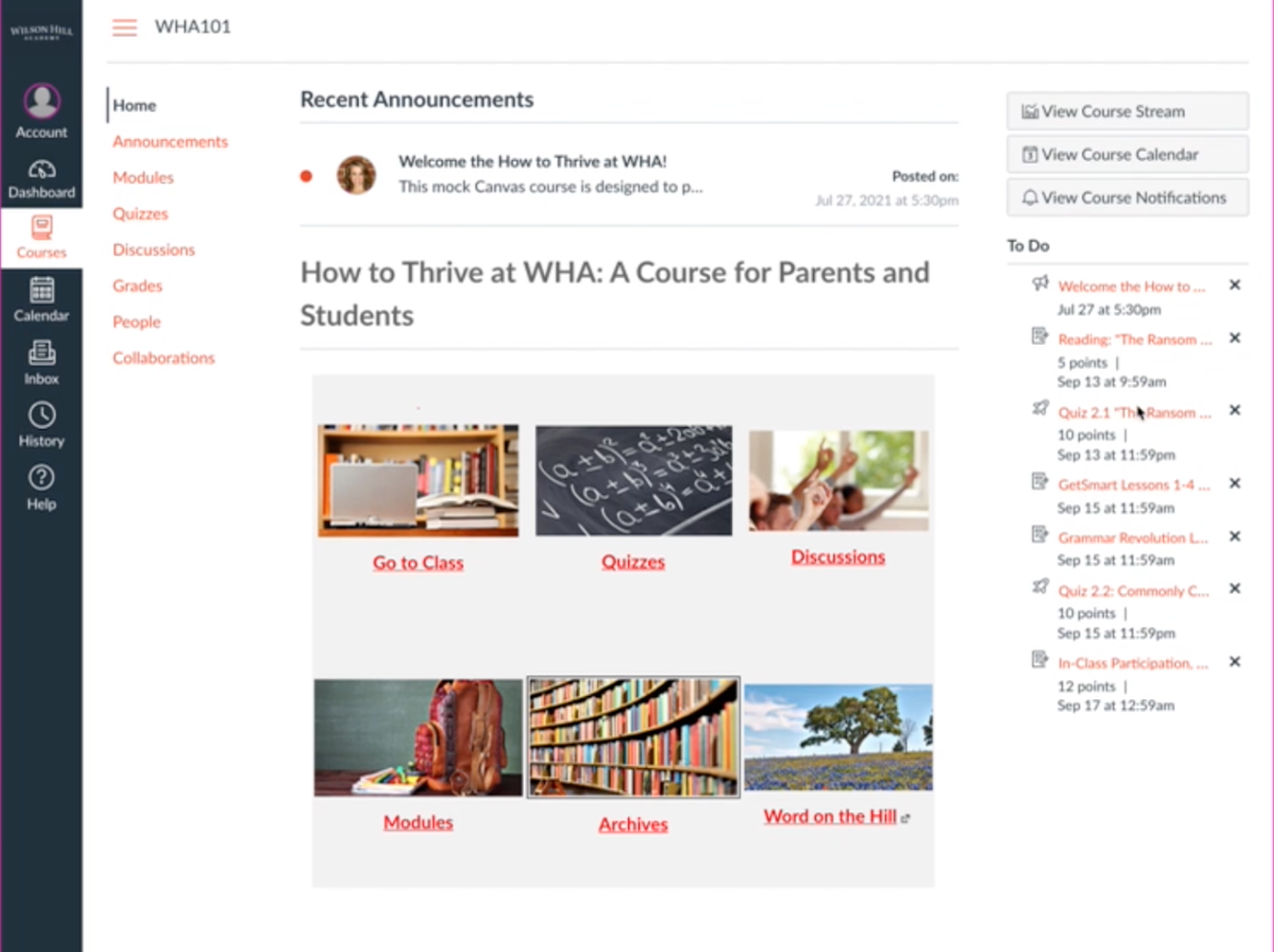
Get to Know the WHA Course Home Page
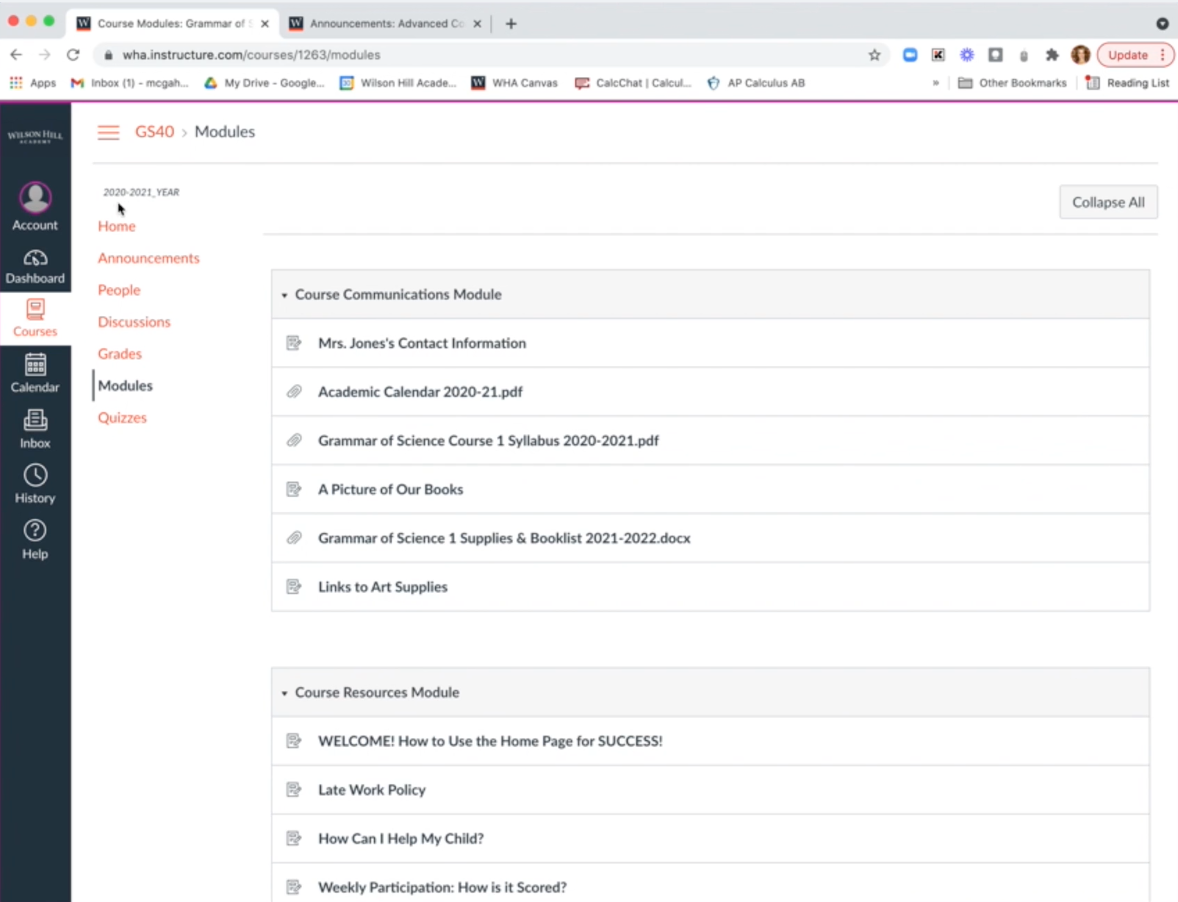
Using the To-Do List, Modules Page & Calendar
Recommended Canvas Notification Settings
Using Zoom in Class: Quick Start Guide for Students and Families
Becoming comfortable in the Zoom meeting enables students to enjoy and engage in class. Participation during class is a key part of cultivating relationships and learning. Download the guide below for quick and simple steps to help you use Zoom effectively during class.
Learn to Navigate FACTS Family Portal
Navigating the FACTS Family Portal & Tuition Management
We use FACTS Family Portal to automate the flow of information between our school and your family. Once your registration data has been synced with our other school systems (typically within seven to ten days of registration), you can visit the link below to create a FACTS Family Portal account. Please enter WH-TX as the District Code.
Setting up your FACTS Family Portal notifications is one of the easiest and most important steps to take before the school year begins.
Complete the following steps in the FACTS Family Portal to ensure you receive all of the information you need. It is very important that you ALWAYS use the same email address you used to register for classes in all WHA systems.
Create Your Account
Before you can access all the FACTS platform has to offer, you need to set up your family’s account. Check your email inbox for an invitation and follow the instructions in this video. Please use the same email for this login as you used for Registration, as we require the same email for login and communication in all of our systems. If you paid in full, you will not receive an invitation to set up a payment plan, but you can still create a Family Portal account.
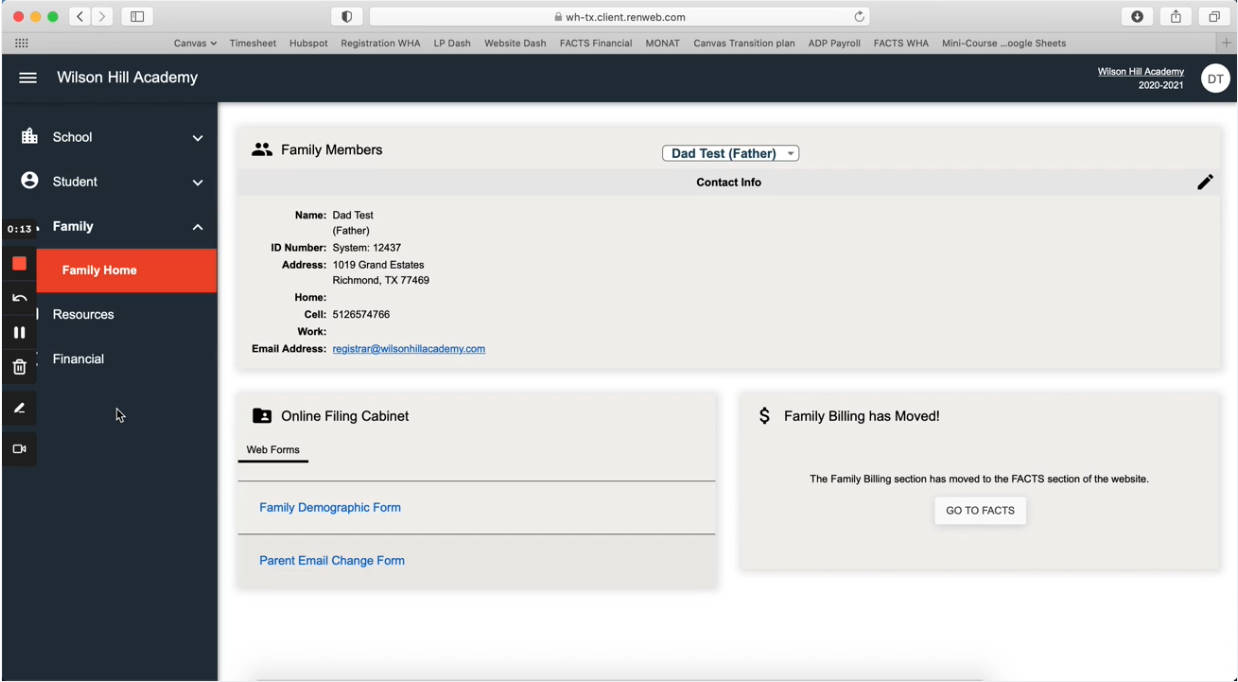
Confirm Your Payment Plan
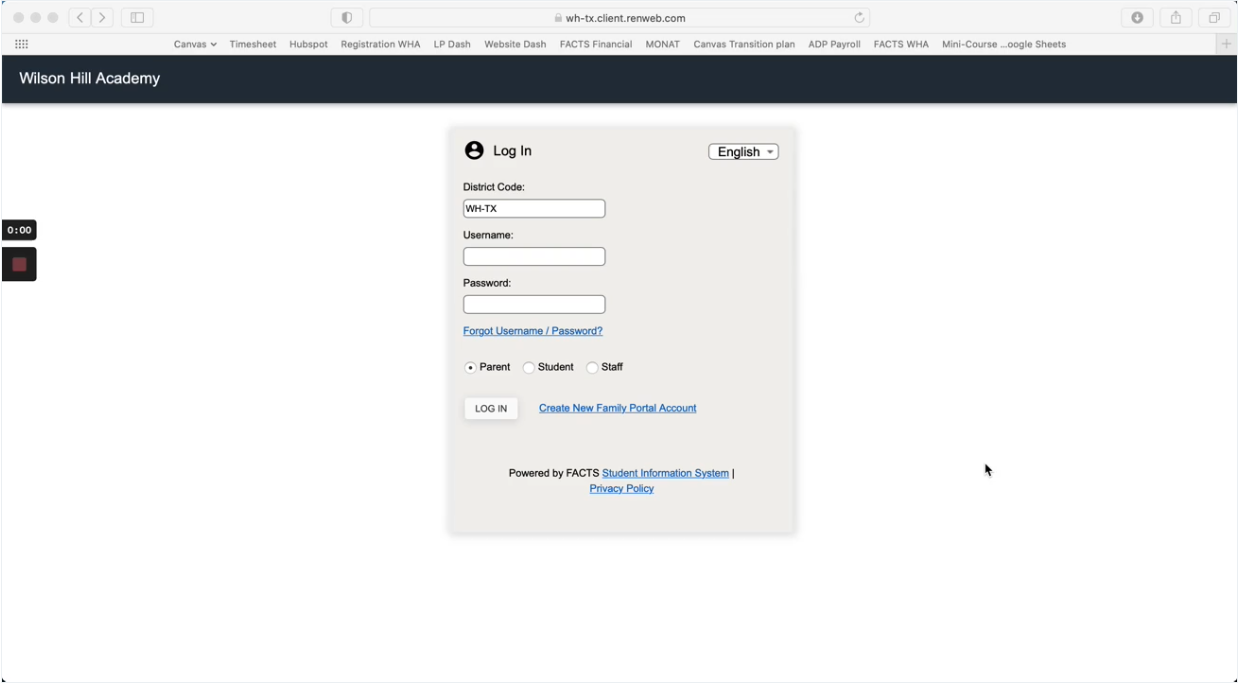
Whether you made a partial or full tuition payment for the 2022–23 school year, it is important to visit the Financial Home tab to confirm that the tuition balance stated matches your records. Log in to FACTS and view your tuition status by following the steps in this video:
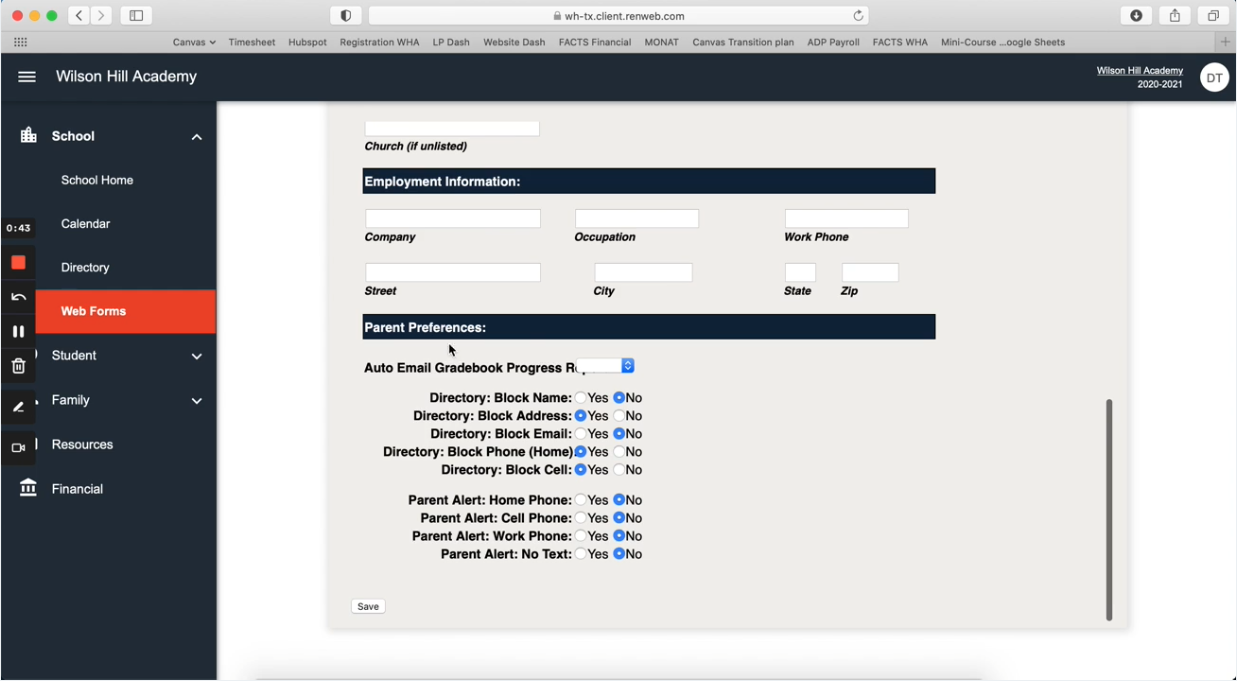
Update Your Contact Information
Confirm you are set up to receive the right notifications at the right email address by updating communication and contact preferences in your account settings.
Access & Update Your Family Directory Details
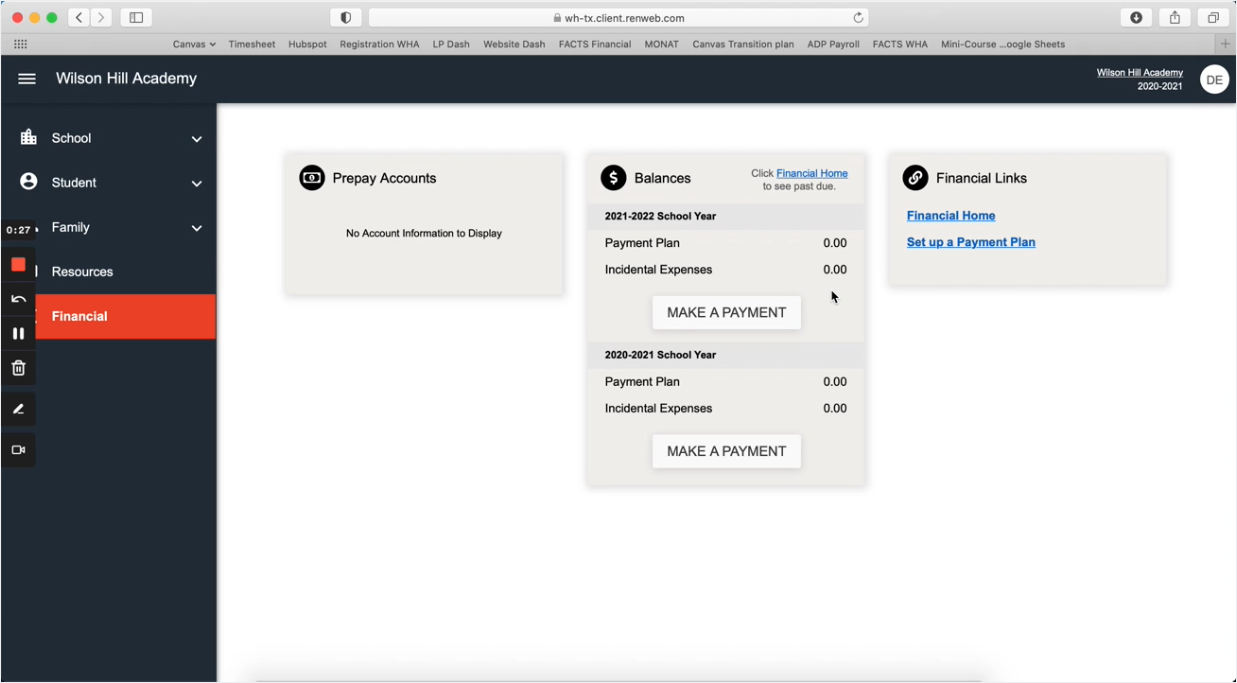
Customize the information you share with the Wilson Hill community (like photos and contact information) or choose to manually opt-out of displaying any information in the directory. Please note that all families are automatically included in the Family Directory unless they choose to opt out.
Time to Purchase Your Textbooks
Book Lists by Course
Gather your resources now to ensure you have everything you need for a smooth start in September. Our Academic Team and master teachers carefully review and select our thoughtfully sequenced book lists each year.
To locate your child’s book list, go to the Academics page on our website. Click View All Courses under the appropriate school. Then select your child’s class. At the bottom of the course description, you’ll find a link to the book list, which includes required titles, author names, and identifying details such as ISBNs.
If you have questions about book lists, please email the Assistant to the Headmaster.
Buy Previously-Owned Books

Buying books doesn’t have to be expensive. That’s why members of our community set up the Textbook Marketplace for Books Used in Wilson Hill Academy Classes on Facebook. Find quality items at lower prices.
Resources to Help You Flourish at Wilson Hill
We want to make transitioning to Wilson Hill Academy as smooth as possible. That’s why we’ve gathered resources for the whole family, from short summer classes that equip students with skills and habits for success to archives of past events and podcasts designed to support parents.

The Journey Worth Taking: The Power of a Wilson Hill Education
This webinar walks families down a virtual hallway, offering vivid snapshots from Wilson Hill classrooms and showing how students grow through steady, faithful learning each day.
HOW TO MAKE THE MOST OF WHA
Habits That Last: Building Rhythms for a Lifetime of Learning
What if raising flourishing kids depends less on big moments and more on daily rhythms? Davies Owens talks with Joanna Hensley, Wilson Hill’s head of lower school, about practical ways families can cultivate habits, routines, and wonder, even in summer.
Online Classical Christian Education Success Story
Learn more about our community and the vision behind Wilson Hill's founding in a recent podcast episode recorded by the Donaldsons.
Balancing Act: A Classical Approach to Time, Rest, and Relationships" with Joanna Hensley
In this thoughtful and encouraging conversation, Joanna joins "BaseCamp Live" host Davies Owens to share practical wisdom on reclaiming time, cultivating rest, and strengthening relationships—without compromising academic excellence. As both an experienced educator and a mother of six, she offers proven strategies for navigating school and home life with purpose and peace.
Navigating Canvas
If Canvas seems more like Can't-vas, this workshop is for you! Canvas experts will walk you through the systems your child uses daily at Wilson Hill Academy. Learn tips for navigating student and parent tools to equip your child for Canvas success.
How to Thrive at WHA
Learn the format of our classes and how to navigate our technology with confidence. Designed for parents and students, this recording not only demonstrates how to use Canvas and Zoom, but also sets expectations of standard practices. You’ll get to jump into a mock Canvas course to learn how to use modules, take a quiz, submit an assignment, and complete a discussion board.
Please note that our webcam policy has changed since this video was recorded as we’ve enhanced Zoom security and now require students to appear on webcam during class.
Habits of a Successful Student
Self-Paced|Students, Grades 7–12
By working through a range of topics such as setting up a workspace, time and task management, note-taking and active reading skills, students in both the live and self-paced class will develop habits of academic success. As students use these tools and practice these habits, they’ll be ready to implement strategies in class and in their independent study time to work effectively towards mastery.
Reclaim Your Family Time as a Homeschool Parent
Your nights and weekends don’t have to revolve around school. Discover practical tips and tools you can start implementing right away to balance schoolwork and family life.

Watch for News From the Hill
Stay up to date with everything that is happening at and around Wilson Hill Academy. You’ll receive our newsletter via email every other week during the school year and periodically throughout the summer. Check your inbox for the latest newsletter or update your contact information here:
Further Questions?
Our team is happy to help! Send us an email today.
Copyright © 2026 Wilson Hill Academy. All rights reserved.
For information on our privacy practices and commitment to protecting your privacy, please review our Privacy Policy.